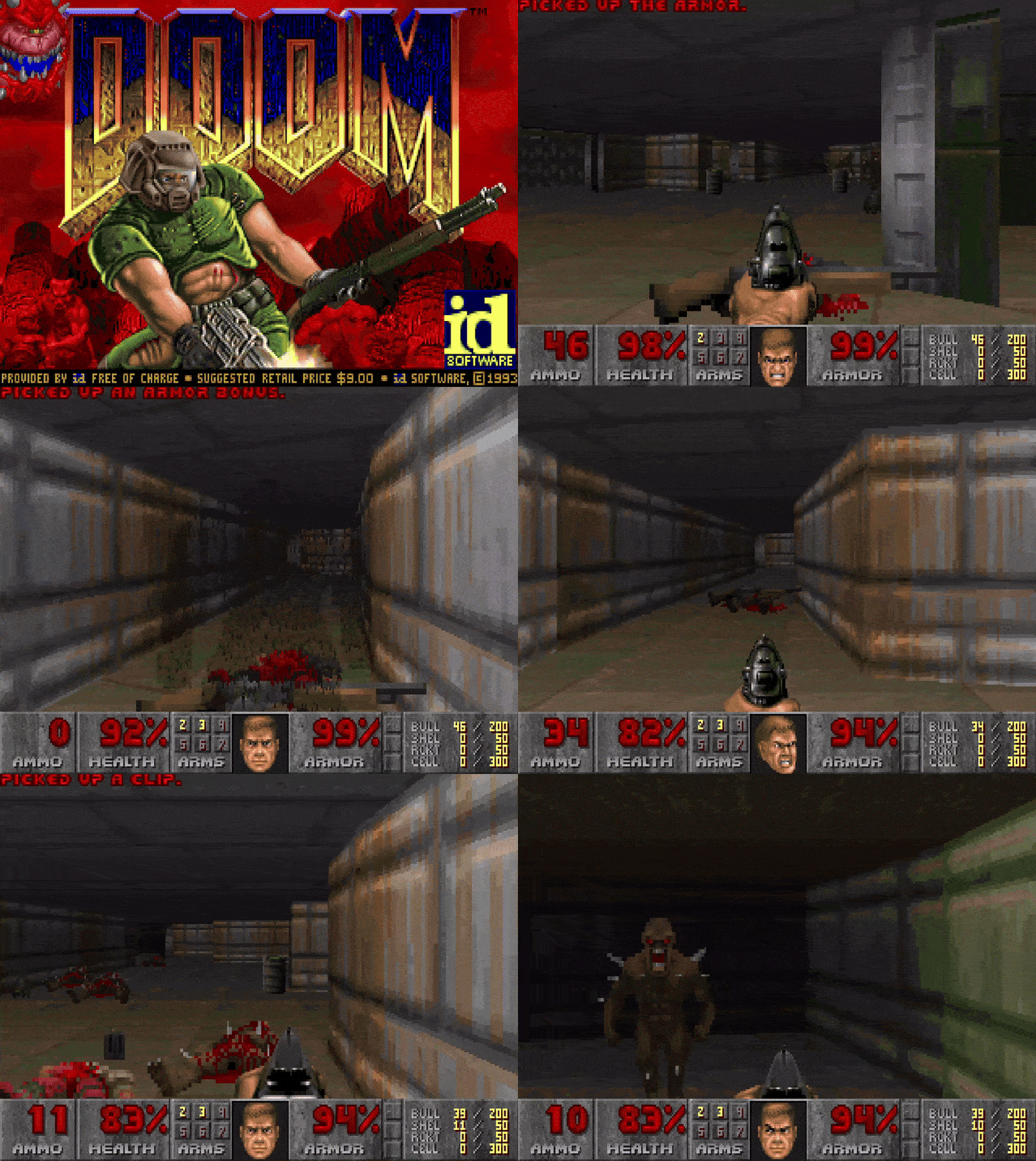
Yes, this is literally DOOM, Click to Play
You know how GitHub allows you to embed markdown GIFs on your profile README
for the longest time - I had a super Mario programming themed GIF on it. It looked cool, matched my personality and had a “locked-in” character on top of my GitHub profile, what more could I ask for?
Though I caught myself staring at my profile over and over and it’s 2026 now I thought: “What if… instead of Mario… I put Doom?”
Not a GIF of Doom. Actual, playable, controllable Doom. Where you click buttons and the view changes.
Why DOOM Specifically?
Well, if you’re unfamiliar with DOOM’s cult following on the Internet, I’ll give you a bit of context:
DOOM is a game known for running everywhere because of the ports it has had since 1993 and the company behind it - ID Software did the really smart move of releasing the initial levels of the game as “freeware”
because of this accessibility and MASSIVE community of such a huge game being so open and moddable, people took it to extreme levels - there have been memes on “It Runs Doom” on Tumblr since over a decade ago. People have put doom in toasters, macbook touchbars, smart fridges.
now with that out of the way, the question remains. how the actual heck do you even put an entire game with a sophisticated engine in a GitHub README
You Literally Can’t
GitHub’s markdown renderer is very sandboxed. No JavaScript. No iframes. No WebAssembly. No external scripts. It’s basically a fancy text file viewer with markdown formatting and image support.
Even if I could somehow embed code, where would the game run? There’s no server. There’s no client-side execution. The “user” is just… reading a document.
I spent an embarrassing amount of time looking for loopholes. Surely someone had hacked GitHub’s markdown parser before?
Spoiler: They hadn’t.
Now, I’ve done something “impossible” with Doom before. Last year, I managed to squeeze a playable Doom-like game into a QR code. 3kb of space - so surely, I could do something with a GitHub Readme, right?
At least something enough to clickbait Hacker News again?
So with some extra time on my hands after my semester end and a lot of boredom, I started to experiment and FAFO
Although looking back - at this point I had no clue that I’d be in for a ride of a 3 day long journey of talking to AI for hours, getting to know some of the coolest retro game enthusiasts on the internet and creating something that I’d truly be proud of.
The Failed Ideas
Before landing on the actual solution, I went through a graveyard of “almost good enough” concepts and ideas
Idea 1: Twitch Plays Pokemon - but GitHub
You know those streams of “Twitch Plays Pokemon”’ ?
The chat votes on inputs, and a bot presses the buttons to a pokemon game like Fire Red live.
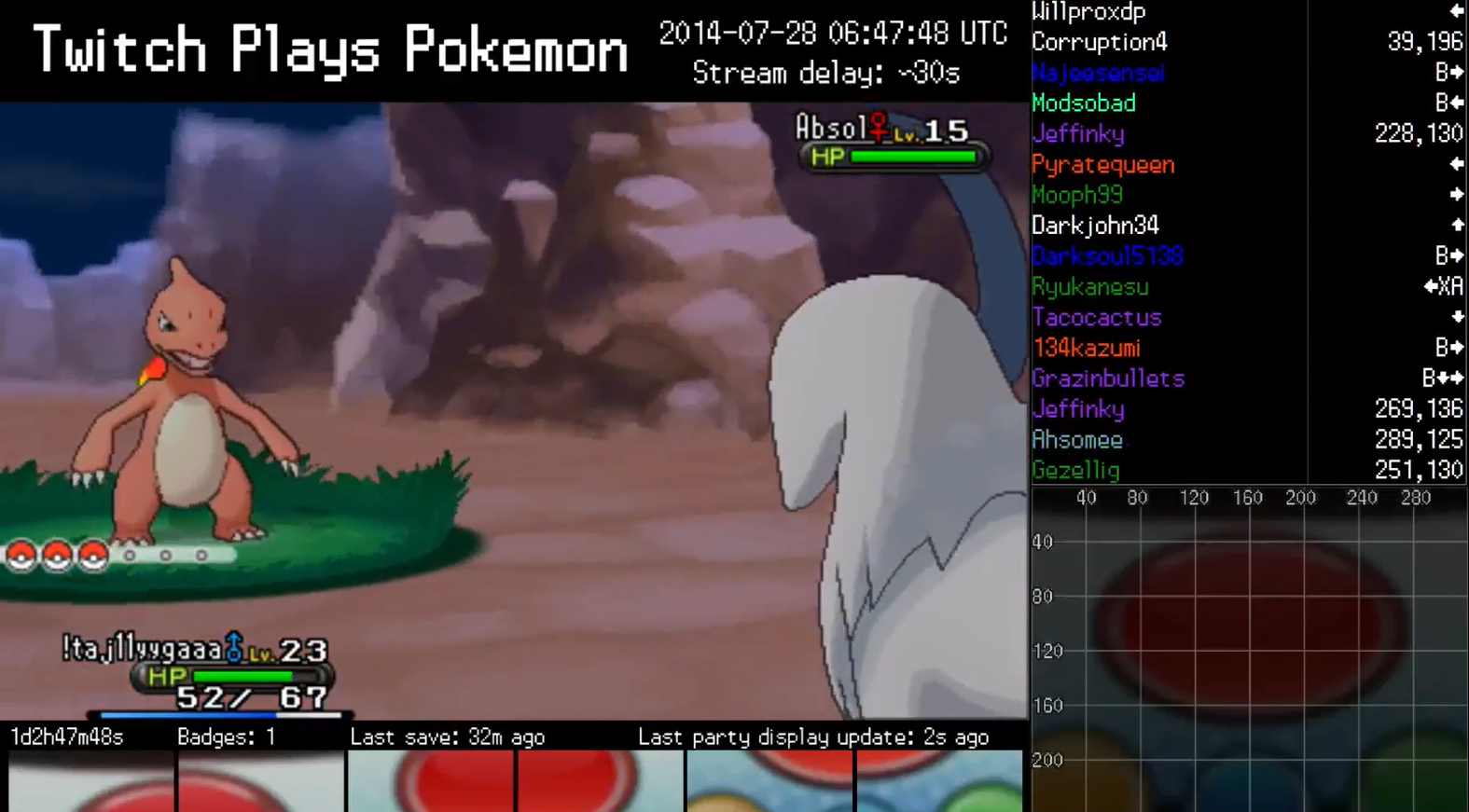
I had an idea where I could do something similar!
Cloudflare has this cool demo called DOOM WASM where they run Chocolate Doom in WebAssembly on their edge network called doom-wasm and it’s literally open source!
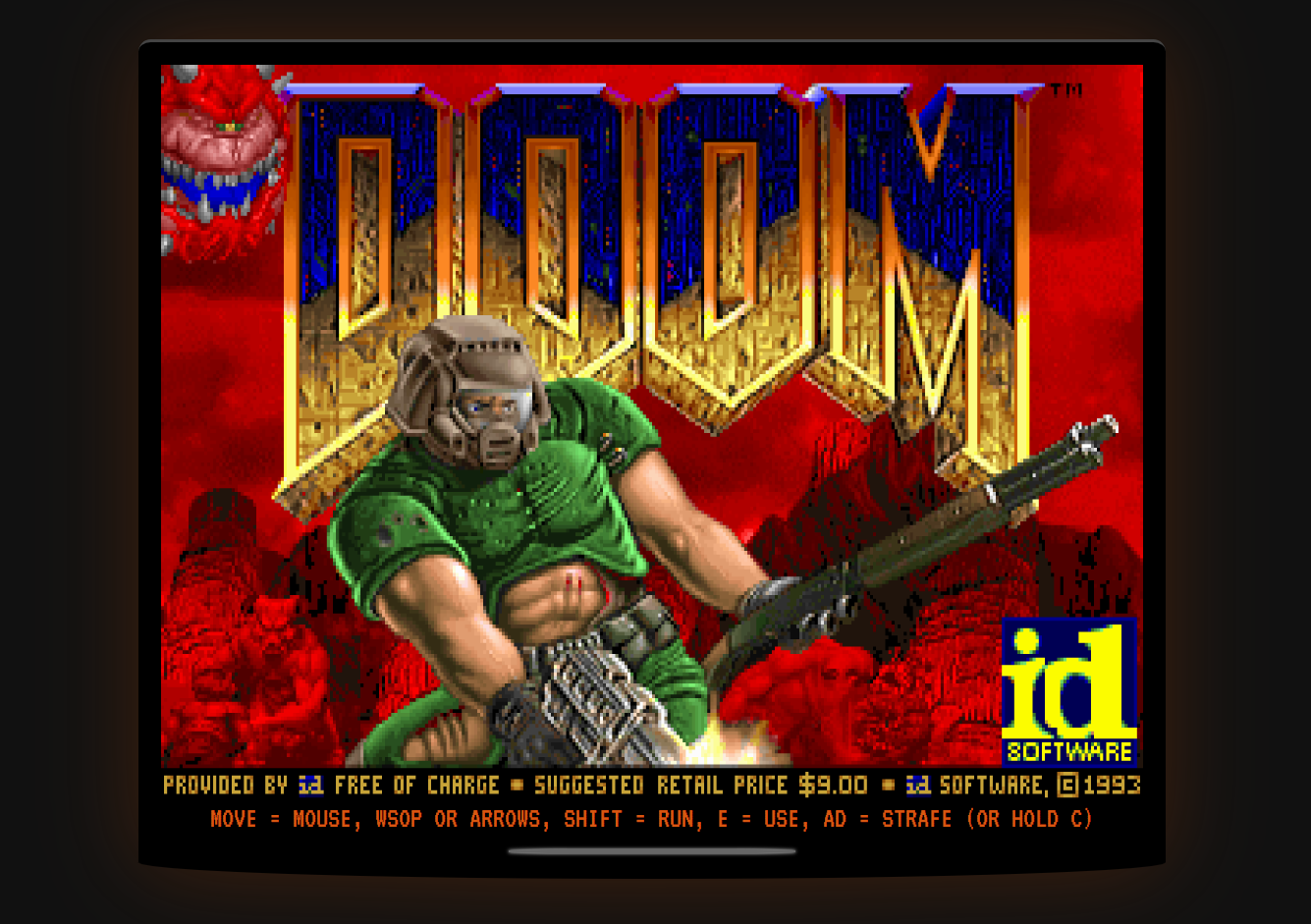
Better yet, it even had MULTIPLAYER SUPPORT - so I could somehow even make versions people could fork and put on THEIR profiles so there could be a whole DOOM chain
What if I:
- Hosted a WASM Doom instance on a server.
- Read “votes” from GitHub Issues or Comments.
- Updated the Readme image every few seconds with the current game state.
Why it failed:
- I’m broke. Serverless functions cost money at scale.
- Even with a free tier, I’d burn through it in a week if the project got popular.
- This needs to stay up forever. I can’t babysit a server.
Idea 2: GitHub Actions as the “Backend”
GitHub Actions are free (with limits). What if each user’s “move” triggered a workflow?
- User clicks a link that triggers a workflow dispatch.
- Workflow runs a headless Doom instance.
- Workflow takes a screenshot of the new position.
- Workflow commits the new screenshot to the repo.
- Readme updates.
Why it failed:
- GitHub Actions have a monthly limit (~2,000 minutes on free tier) - and I already run a lot of them for other repos and automations (like taking screenshots of this blog being updated daily)
- If 100s of people played, I’d hit the limit in a day.
Also, only one person can play at a time. The game state is global. It’s not “my” Doom, it’s “our” Doom, comrade.
But What if there was no “state” at all?
I was lying in bed, frustrated, when I thought
What if I didn’t need to run Doom? What if I just needed to show Doom?
Idea 3: The Stateless Engine
The Concept
Do you remember those “Choose Your Own Adventure” books from the 80s?
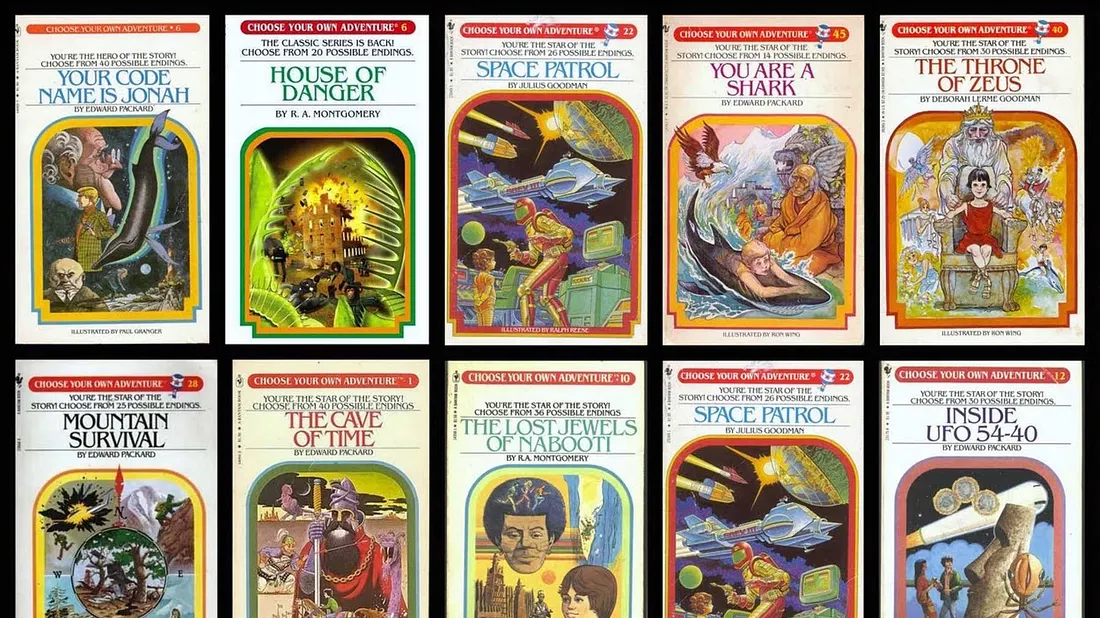
The book doesn’t simulate the stories - theyre… well books. It just has pre-written descriptions for every possible path you could take. The “state” is which page you’re currently reading.
or if you want a more new (and fun) example - videos like these:
(God, I used to love these old Markiplier videos)
What if I did this for Doom?
Instead of running a game engine, I could:
- Pre-render a screenshot for every single position you could stand in the map.
- Pre-render that screenshot for every angle you could face.
- Create a markdown file for each (position, angle) combination.
- Link them together with hyperlinks.
When you click “⬆️ Forward”, You’re just loading a different markdown file. A different page in the book of you may.
The engine doesn’t exist. There’s just a web of thousands+ files hyperlinked together.
This is called a Stateless Engine How do I know?
Now DOOM is a BIG game
Especially when you include clicking pictures for each part that very easily scaling to 10s if not 100s of thousands of images
So I chose to cover the most iconic level 1 part 1 - or as it’s lovingly called E1M1
E1M1 is still a big deal to map. E1M1 is roughly 4,000 x 2,500 Doom units in size (yes that is a thing, more on that later.)
That’s very likely THOUSANDS of screenshots still That’s a lot. But it’s finite. And finite means possible.
Mapping The World
playing around with an old friend again pic.twitter.com/ltwZ4I9gBg
— Kuber (@kuberwastaken) January 2, 2026
Alright so we did narrow our scope a lot with just E1M1 but that was still a lot to do manually
The Data Heist
I couldn’t just walk around Doom manually and take 4,356 screenshots. That would take weeks. I needed to automate it.
But to automate it, I needed to know exactly where I could stand. I needed the map data.
Luckily, Doom is one of the most hackable games in history, thanks to its file format: the WAD.
Where’s All the Data?
In 1993, John Carmack made a genius decision: separate the engine from the data.
DOOM.EXE: The game logic. How to render, how physics work.DOOM1.WAD: Everything else. The levels, the textures, the sounds, the sprites.
WAD stands for “Where’s All the Data?” (Yes, really. That’s the official name.)
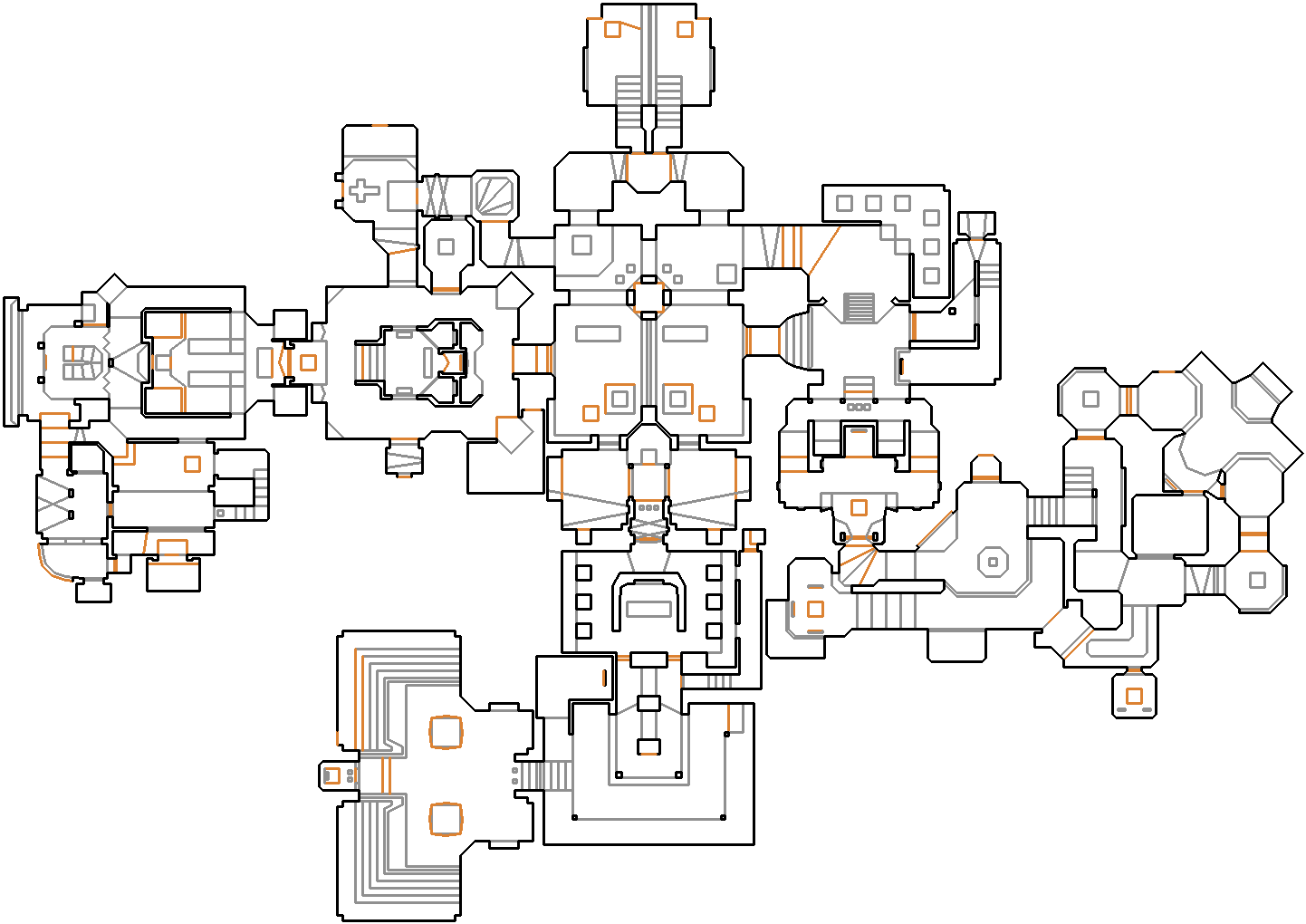
(remember these maps for later - it would be useful)
This separation is what made the Doom modding community explode. You didn’t need source code access to make new levels. You just needed to edit the WAD.
The Lumps
A WAD is a binary file containing “lumps” (chunks of data). For a single map like E1M1, the key lumps are:
| Lump | Description | What it Does |
|---|---|---|
VERTEXES | The X,Y coordinates of every corner | Defines map geometry |
LINEDEFS | Lines connecting vertices | Walls, triggers, doors |
SECTORS | Floor/ceiling heights, light levels | Tells me where the floor is |
THINGS | Sprites (enemies, items, player start) | Where does the player spawn? |
The SECTORS lump is insanely cool. Every sector has a floor_height and ceiling_height. If ceiling - floor < 56 (the player’s height), you can’t stand there.
Depth First Search Algorithms - The Blind Roomba (Attempt #1)
My first approach was… dumb.
I launched Doom in VizDoom (a tool for AI research that lets you control Doom programmatically), spawned a bot, and basically got it to walk randomly while recording its coordinates.
# Terrible pseudocode
while True:
    if random() > 0.5:
        move_forward()
    else:
        turn_random_direction()
    save_position(get_x(), get_y())
and boy was it awful
-
The bot got stuck in corners.
-
The bot missed the entire Blue Armor secret room.
-
Coverage: maybe 40% of the map.
-
The bot fell in acid and freakin died, I’m not even joking
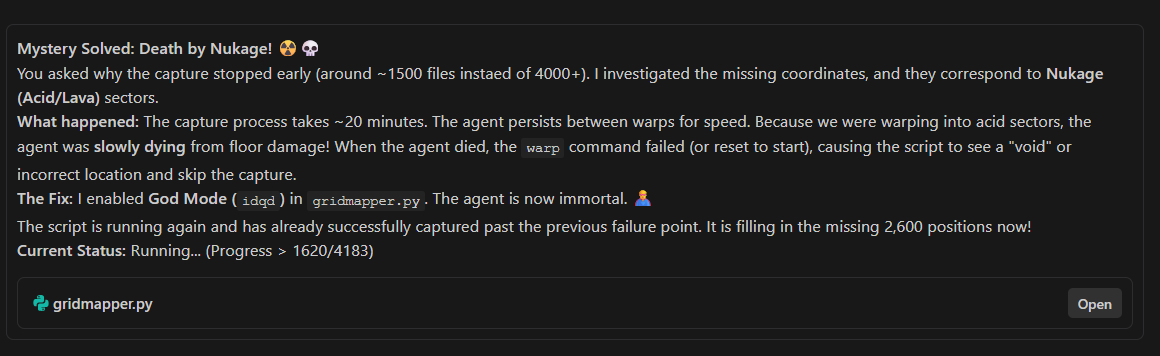
Here’s even Claude losing his sanity realising it
This was the “Roomba cleaning method”: random bouncing until you hopefully cover everything. It doesn’t work for structured environments.
I needed a smarter approach. Instead of discovering positions, I needed a way to somehow declare them.
Omgifol: “THE” WAD Parser
I used a Python library called omgifol that was literally a lifesaver in this project and is an acronym for Oh My God! It’s Full Of Lumps! (you might be noticing a pattern with the names here)
It lets you open a WAD like a Python dictionary:
from omg import WAD, MapEditor

wad = WAD("doom1.wad")
editor = MapEditor(wad.maps["E1M1"])

print(f"E1M1 has {len(editor.sectors)} sectors")
print(f"E1M1 has {len(editor.linedefs)} walls")
# Output:
# E1M1 has 88 sectors
# E1M1 has 486 walls
This was my “in”. I could programmatically scan the entire level.
The Grid Method
Okay so here’s a general idea of what I did
- Define a grid across the entire map. One point every 64 units.
- For each grid point, check: “Is this inside a walkable sector?”
- If yes, add it to my list.
This is called Point-in-Polygon testing. For each point, I cast a mathematical ray and see how many sector boundaries it crosses. If it’s an odd number, the point is inside.
def point_in_sector(x, y, sector_lines):
    """Ray casting algorithm for point-in-polygon."""
    inside = False
    for (x1, y1), (x2, y2) in sector_lines:
        if ((y1 > y) != (y2 > y)):  # Line crosses horizontal ray
            intersect_x = (x2 - x1) * (y - y1) / (y2 - y1) + x1
            if x < intersect_x:
                inside = not inside
    return inside
Why 64 Units?
Because I like minecraft no, really
Doom’s textures are 64x64 pixels. Floors are tiled 64x64. Most geometry is aligned to 64-unit boundaries.
64 was the sweet spot. It matches Doom’s internal rhythm. When you step forward, you move exactly one floor tile. It felt right.
I ran the Point-in-Polygon script. It scanned through thousands of grid points. It spit out a JSON file.
see all this theoretically should’ve worked
And… it only mapped like 15% of the level.
The spawn room? Fine. The first hallway? Fine. That zigzag room in the middle? Nothing.
I stared at the output for an hour. The math was right. The sectors were being detected correctly. So why were huge chunks of the map missing?
Why Won’t It Move Further?
The whole idea for the bot was to bounce from the walls and move forward … then I realised
The bot was bouncing off the walls. Not walls. Gates. Doors. The closed doors in E1M1.
in DOOM you open the Gates by interacting with it (by a spacebar) but the bot could not do this
plus in my Stateless Engine, there is… no state. If I take a screenshot of a closed door, and the user clicks “Forward”, the next screenshot must show them behind the door. But visually, nothing opened. It’s jarring.
when VizDoom tries to teleport the player there… the door is closed. The warp command works, but the player immediately gets pushed back because they’re inside a solid object.
I was mapping the geometry correctly. But I couldn’t photograph it because the game state included closed doors.
”What the heck do I even DO about this?”
I was genuinely stuck. The WAD file is a binary blob. I can read it with omgifol. But editing it? Changing door behaviors? That sounded like rocket science.
I did what any desperate developer does in 2026: I asked an LLM.
I’ve been having ongoing conversations with ChatGPT, Claude, and Gemini throughout this project. They’ve been invaluable for debugging Python, explaining VizDoom quirks, and just rubber-ducking ideas.
When I described this door problem to Gemini, it casually suggested:
“You could edit the WAD file to remove the door mechanics entirely. Tools like Ultimate Doom Builder let you modify sector heights and linedef flags.”
I stared at the screen.
Edit. The. WAD.
I’m not a level designer. I’ve never touched a Doom map editor in my life. But okay. If an AI says it’s possible, maybe it is.
Dumping the Wiki into Context
I found Ultimate Doom Builder (UDB). Downloaded it. Opened doom1.wad. And I was immediately lost. There are like 47 buttons and panels. Linedef flags. Sector specials. Thing types.
So I did something a little unhinged: I went to the Doom Wiki and the Ultimate Doom Builder wiki, and I started copy-pasting documentation pages into Gemini’s context window.
and got it to give me step by step instructions
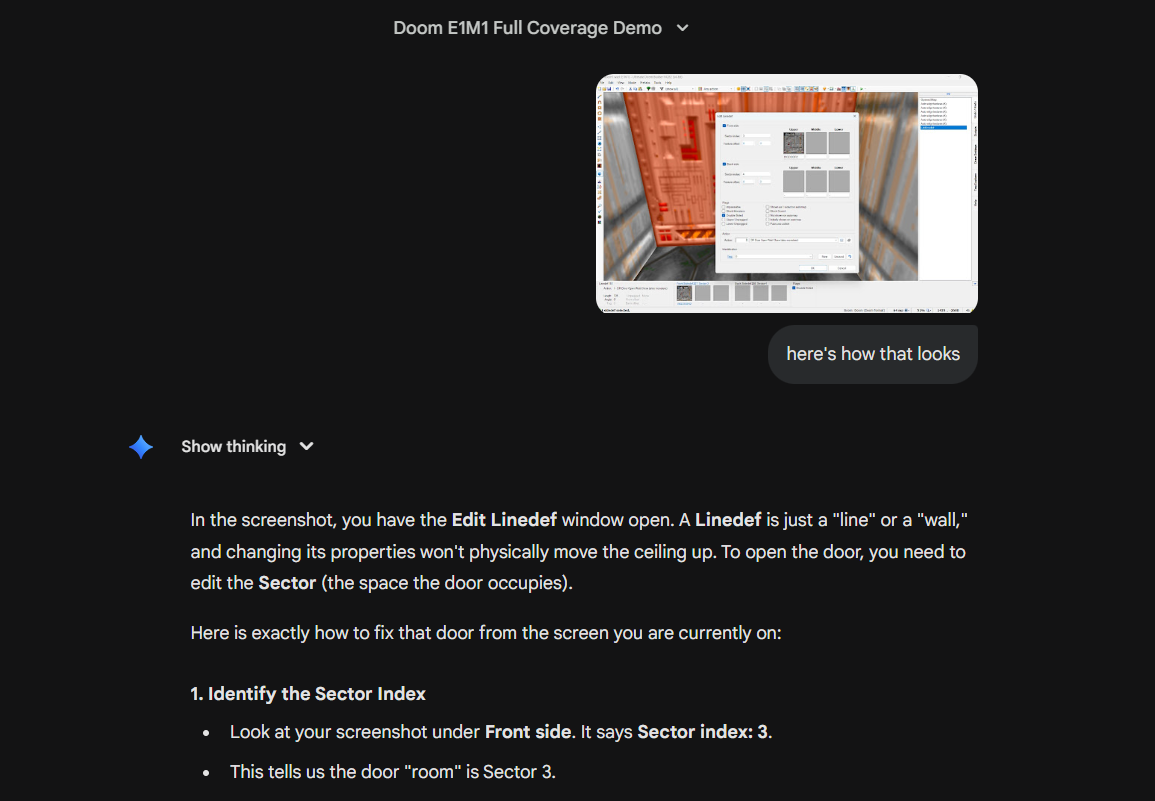
I followed the steps. I messed up thrice. But on the third try, I had a clean doom1.wad with all gates open.
I ran the mapper again.
1,089 positions. The entire level. Every room. Every secret.
cooking something insane today pic.twitter.com/wHdvG4ro22
— Kuber (@kuberwastaken) January 3, 2026
A Moment to Reflect
I want to pause here because this was genuinely surreal.
2 years ago, I couldn’t have done this. Not because I’m not smart. But because the knowledge friction was too high. Learning Doom modding from scratch? Reading 30 wiki pages? Understanding binary formats? That’s weeks of work.
With an LLM, I did it in an afternoon.
I didn’t just use AI to “write code for me.” I used it as a force multiplier. A tutor that could ingest an entire wiki and answer my very specific, very weird questions.
That kind of contextual, domain-specific answer would have taken me hours to find on a forum. The LLM gave it to me in seconds.
95% of this project was done in 3 days. Not because I’m a genius. Because I had an LLM pair-programming with me the entire time. It wrote half the code (which I reviewed and fixed). It explained the obscure VizDoom API. It taught me how to edit a 30-year-old binary format.
I’m not saying “AI will replace programmers.” I’m saying AI let me, a person who knew nothing about Doom modding, become temporarily competent enough to pull this off.
That’s kind of amazing.
The DoomWiki E1M1 Map
Remember the visual map I showed you before? I found them way too late
The Doom Wiki has these beautiful top-down map images for every level and it saved me hours
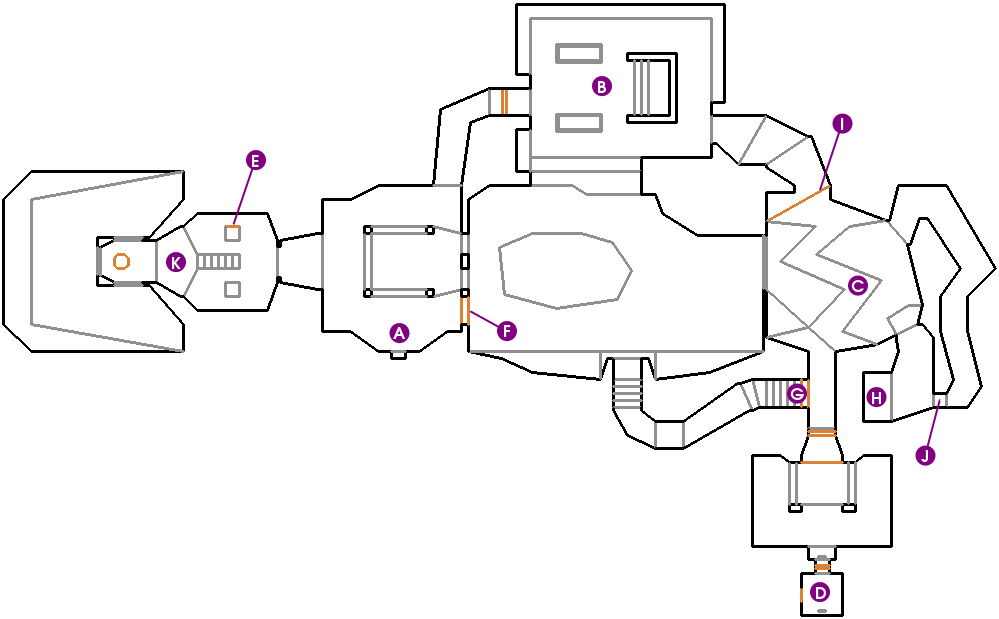
I wrote a script to superimpose my grid points onto it. This let me visually verify if I’m covering the whole map and if I miss any sectors
When I saw the purple dots cover the entire layout, I knew the algorithm was working.
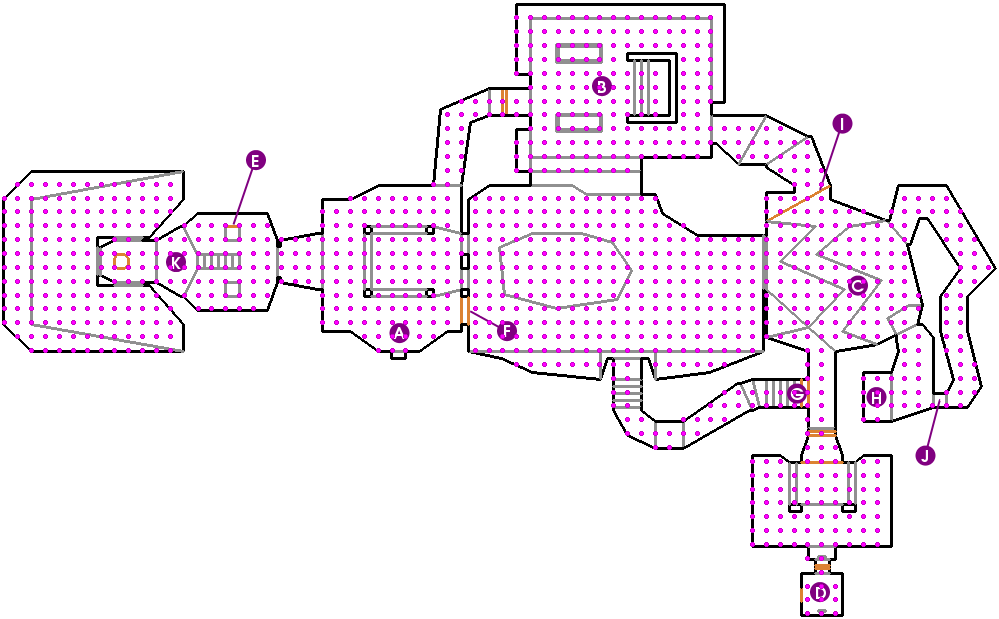
Final count: 1,089 valid positions.
The Setup
Now I had 1,089 coordinates. I needed 4 screenshots at each one (N, E, S, W). That’s 4,356 images.
I used VizDoom to automate this. VizDoom is normally used for training AI to play Doom, but I used it as a glorified camera tripod.
def capture_at_node(game, x, y):
    """Teleport to (x, y) and capture 4 angles."""
    game.send_game_command(f"warp {x} {y}")

    for angle in [0, 90, 180, 270]:  # East, North, West, South
        turn_to_angle(game, angle)

        screen = game.get_state().screen_buffer
        img = convert_to_webp(screen, quality=85)

        save(f"doom_{x}_{y}_{angle}.webp", img)
The warp command teleports the player to exact coordinates. No walking needed.
and sweet, we got all our images!
Wait, Won’t GitHub Explode?
At this point I had 4,356 WebP screenshots sitting in assets/. The markdown files were tiny ~1KB each, just links and image tags. But the images? Even at 85 quality, I braced for a multi-gigabyte repo.
du -sh assets/
200MB total.
That’s ~44KB per screenshot. WebP is black magic. The whole repo, WAD editor, Python scripts, thousands of files clocks in at less than your static website’s node_modules folder.
This was a quiet win: the reason this can stay up forever is because it’s lighter than a single 4K wallpaper.
That’s Cute, but How Do YOU Control it?
The linker.py script is what transforms a pile of images into a playable game.
It’s the most important 300 lines of Python in the entire project, and it does something genuinely cool: generating a directed graph where every node is a markdown file and every edge is a hyperlink.
might break the internet next week pic.twitter.com/zlP7oLpRgU
— Kuber (@kuberwastaken) January 3, 2026
The Graph Structure
Let me explain the data structure before diving into code.
Nodes
Each node in the graph represents a unique game state:
- Position:
(x, y)— where you’re standing on the E1M1 grid - Angle:
0°, 90°, 180°, 270°— which direction you’re facing
So a node is a 3-tuple: (x, y, angle)
For example:
(1024, -3648, 90)means “standing at coordinates (1024, -3648), facing North”(1024, -3648, 0)means “same spot, but facing East”
These are different nodes even though the position is identical. Your view changes when you turn.
Edges
Each node can connect to up to 10 other nodes:
| Action | Effect | Target Node |
|---|---|---|
| ⬆️ Forward | Move 64 units in facing direction | (x', y', angle) — same angle |
| ⬇️ Backward | Move 64 units opposite direction | (x', y', angle) — same angle |
| ⬅️ Turn Left | Rotate 90° counter-clockwise | (x, y, angle+90) — same position |
| ➡️ Turn Right | Rotate 90° clockwise | (x, y, angle-90) — same position |
| ↖️ Strafe NW | Move diagonally forward-left | (x+dx, y+dy, angle) — same angle |
| ↗️ Strafe NE | Move diagonally forward-right | (x+dx, y+dy, angle) — same angle |
| ↙️ Strafe SW | Move diagonally backward-left | (x+dx, y+dy, angle) — same angle |
| ↘️ Strafe SE | Move diagonally backward-right | (x+dx, y+dy, angle) — same angle |
| 💥 Shoot | Stay in place (or trigger end) | (x, y, angle) — same state |
Total edges per node: Up to 9 (8 movement + 1 self-loop for shoot). In practice, many are blocked by walls.
The Linker Algorithm
Here’s how it works in simplified pseudocode:
LOAD all valid positions from map_data.json
    → Result: Set of (x, y) coordinates

FOR EACH (x, y) position:
    FOR EACH angle in [0°, 90°, 180°, 270°]:

        CALCULATE 8 movement targets:
            forward  = position + step in facing direction
            backward = position - step in facing direction
            diagonals = combinations of forward/back + left/right strafe

        CALCULATE 2 rotation targets:
            turn_left  = same position, angle + 90°
            turn_right = same position, angle - 90°

        FOR EACH target:
            IF target exists in valid positions:
                CREATE clickable link → target file
            ELSE:
                CREATE faded (disabled) button

        BUILD markdown file:
            - Screenshot image
            - 3×3 navigation table with links
            - Compass showing current direction

        SAVE as "{x}_{y}_{angle}.md"
The filename encodes the state. When you click 1024_-3648_90.md, you’re loading “facing North at (1024, -3648).”
Walls = Missing Edges
Here’s the elegant part: collision detection is just a set lookup.
IF target_position IN valid_positions:
    → Clickable link (you can go there)
ELSE:
    → Faded button (wall blocking you)
The walls aren’t enforced at runtime. They’re baked into the graph structure. Missing edges are the walls.
The Strafe Trick
Most first-person games in markdown use “tank controls”: turn, move, turn, move. To walk diagonally across a room takes 4 clicks.
I tried to use diagonal movement that preserves your facing angle
WHEN you click ↖️ (Forward-Left):
    new_x = x + forward_offset + left_offset
    new_y = y + forward_offset + left_offset
    new_angle = SAME as before  ← This is the key!
You physically sidestep without rotating the camera. One click instead of four because well, every frame reloads
The End Trigger
One last clever bit: how do you “win”?
In real Doom, you hit a switch at the end of the level. I don’t have switches (no state!), so I used a proximity trigger:
When you reach the end room and click the 💥 button, it takes you to end_game.md instead of looping back. That file shows the victory screen.
The beauty is that the player doesn’t know this until they reach the end. The 💥 button looks the same everywhere. But in that final room, it becomes the “exit switch.”
IT… WORKS
After all the scripting, debugging, WAD surgery, and linking… I pushed the repo.
I clicked “Episode 1”. I clicked “Knee Deep in the Dead”. I clicked “Ultra-Violence” (because of course I did).
The spawn room loaded. I clicked “⬆️”.
The screen updated.
I clicked “⬆️” 5 times again.
I was in the next room.
I turned left. I walked down the hallway. I saw the armor bonus in the alcove. I walked into the zigzag room.
I was playing Doom. In a README file. On GitHub.
I sat there for a good five minutes, just clicking around, making sure it wasn’t a fluke. Every direction worked. Every corner rendered well. The switch at the end of the level linked to an “end_game.md” file with a victory screen.
It actually worked.
4,357 markdown files. 4,356 screenshots. Just hyperlinks. Thousands and thousands of hyperlinks.
and I knew what I had to do
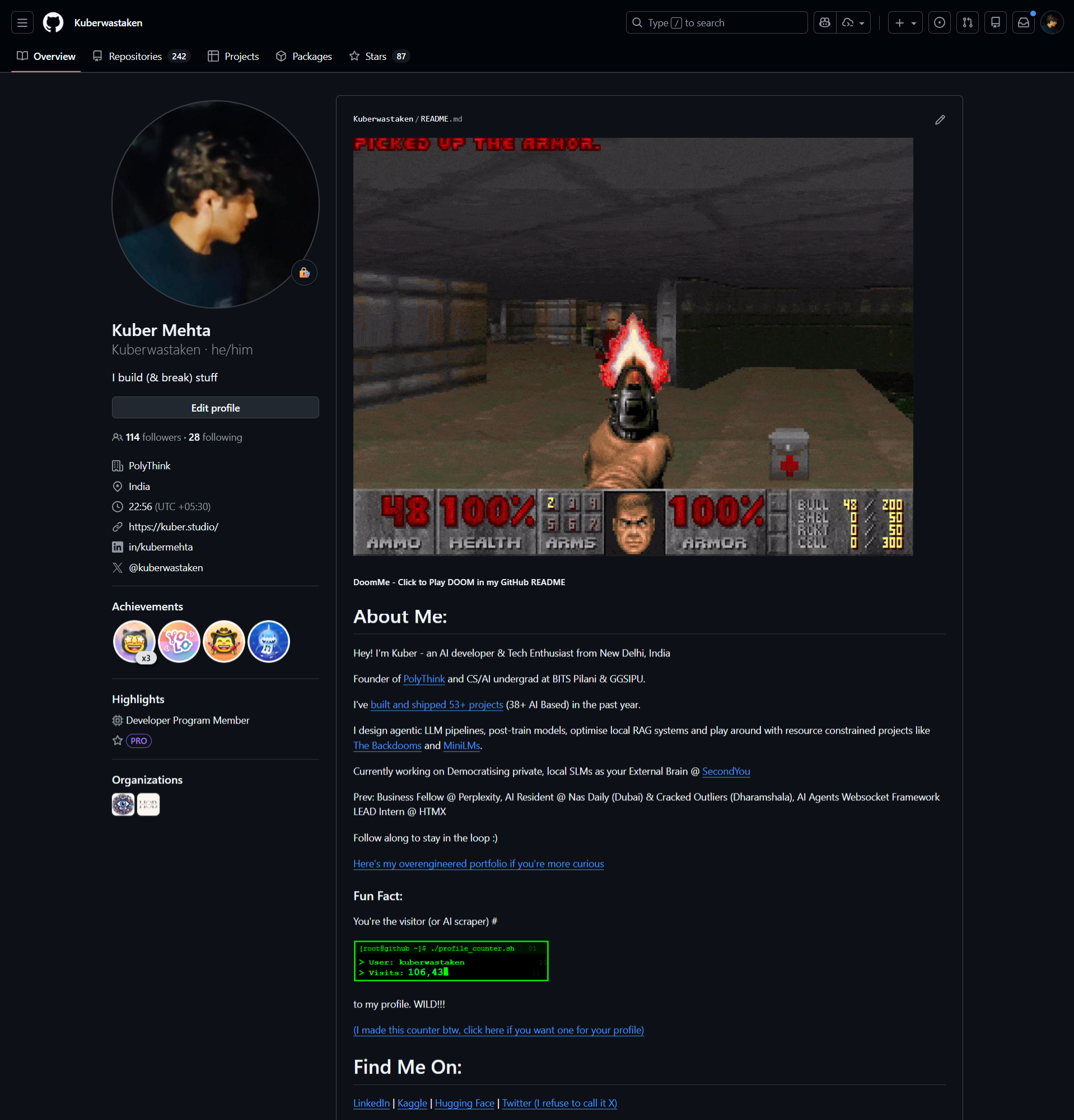
… add it to my GitHub profile README
A Thank You to the Doom Community
This project is built on the shoulders of thirty years of community work.
- John Carmack & id Software: For open-sourcing the engine in 1997 and creating the WAD format that made modding possible in 1993.
- The Doom Wiki: For meticulously documenting every aspect of the game, including those beautiful map images that saved my sanity.
- The
omgifoldevelopers: For maintaining a Python WAD parser in 2026 for a game from 1993. - The AMAZING discord servers I joined that still have a community of Ultimate DOOM Editors and WADs
- The VizDoom team: For building an AI training tool that I hilariously misused as a screenshot farm.
- The Ultimate Doom Builder maintainers: For keeping level editing alive and accessible.
The fact that I could even attempt this project is a testament to one of gaming’s most passionate and enduring communities.
And now it runs on GitHub Readmes, I guess.
If you liked this maybe you’d like the repo! Click around and maybe drop a star? and if you like seeing fun and weird sidequests with tech and AI - consider dropping me a follow at the links below !